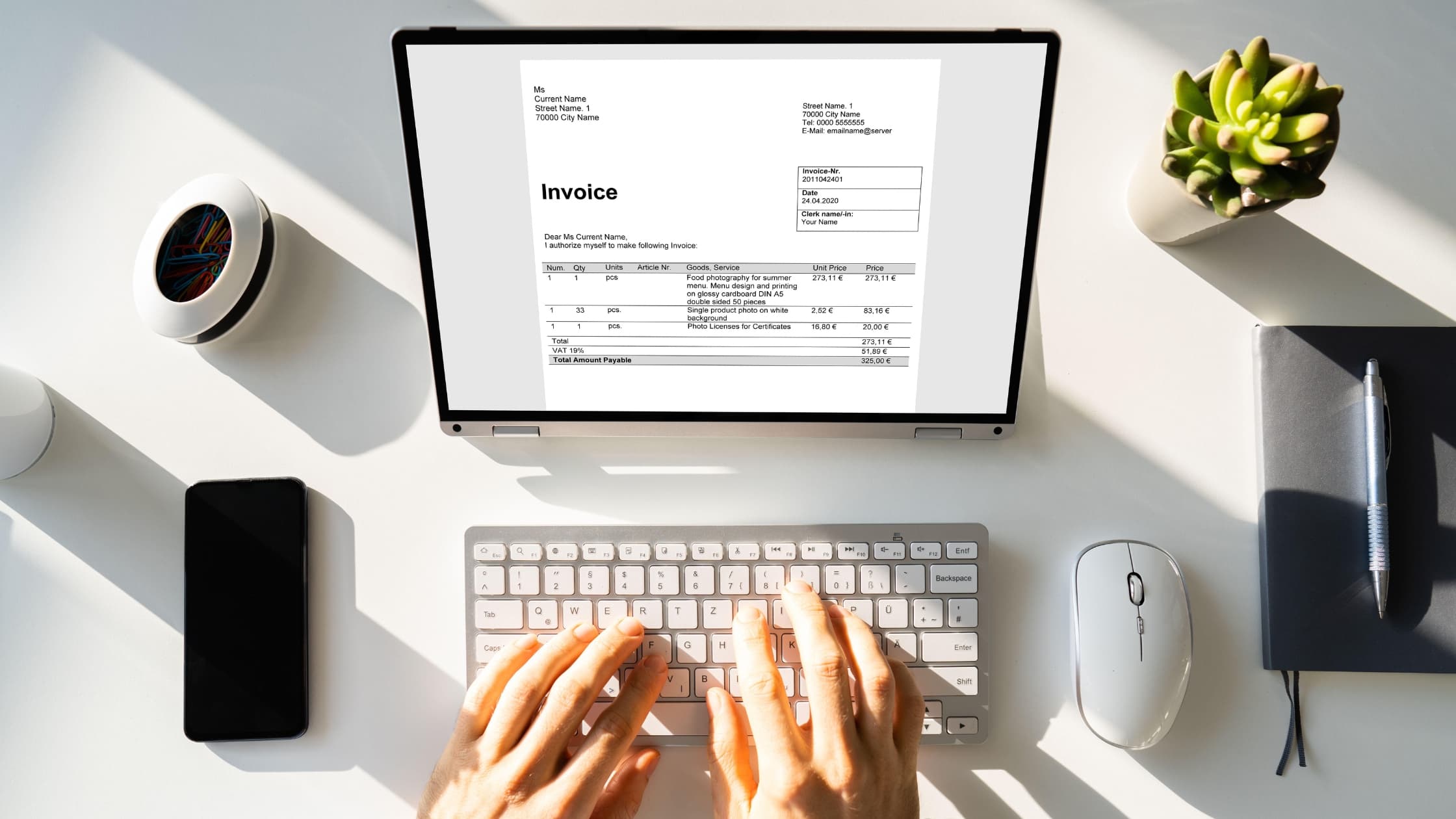
Sending invoices by email is the simplest and fastest way to get paid. Whether you’re a freelancer, small business owner, or independent contractor, a well-written invoice email makes your billing process smoother and more professional.
Here, we’ll guide you through how to send an invoice through email step by step, what to include, common mistakes to avoid, and best practices to ensure you get paid on time.
Why email invoicing is essential in today's business world
Sending invoices by email is faster and more reliable than traditional methods. It cuts out printing, postage, and waiting days for delivery. Everything is digital, which means both you and your client have a clear record of what was sent and when.
Most clients now expect to receive invoices directly in their inbox, and a professional invoice email makes it easy for them to review, process, and pay without delay. The result: smoother transactions, fewer missed payments, and less admin for everyone involved.
The essentials: What you need before hitting 'send'
Before you draft your invoice email, double-check that the invoice itself is polished and accurate. Every detail matters — from the client’s name and contact information to the payment terms and due date. A complete, well-structured invoice saves back-and-forth questions, builds trust, and makes it easier for your client to process the payment quickly.
The perfect invoice
Every invoice should include:
- Your business name, address, and contact details
- Client’s name, company, and contact details
- Invoice number
- Date issued and due date
- Itemized list of products or services
- Quantities, rates, and subtotal
- Taxes (if applicable)
- Total amount due
- Payment terms (e.g., “Net 14” or “Payment due on receipt”)
- Payment instructions (bank details, online link, PayPal, Stripe, etc.)
Invoice format
Always send invoices as a PDF. It’s the standard format because it looks professional, is easy to open on any device, and keeps your formatting intact. A PDF also prevents accidental edits, which protects the accuracy of your records.
Word documents and spreadsheets may look fine on your screen, but they can appear differently on the client’s side — or worse, be altered without meaning to. A clean, locked PDF gives both you and your client confidence that the invoice is final and ready for payment.
Tip: Use clear file names like: Invoice_YourBusiness_ClientName_1234.pdf
Choosing your method
There are two main ways to create and send invoices by email, and the right choice depends on how often you bill clients and how much time you want to spend managing payments.
- Invoice templates are quick and inexpensive, ideal if you only send a handful of invoices each month. Once set up, you just update the details for each client.
- Invoicing software is better if you bill regularly. Tools like FreshBooks, QuickBooks, Wave, or Xero automate the process, track payments, and send reminders. Many also let you add a secure payment link in your invoice email, making it easier for clients to pay on time.
Crafting the perfect invoice email: A step-by-step guide
Here’s how to send an invoice via email in a way that’s professional, clear, and easy for your client to act on. Each step keeps the process straightforward, reduces the chance of delays, and ensures your invoice stands out in a busy inbox.
Step 1: Write a clear and professional subject line
A good subject line makes your invoice easy to find and prevents it from getting lost. For example:
- Invoice #1234: [Your Business Name] — [Client Name] ([Date])
- Invoice #5678 for [Service Carried Out] — Due [Date]
Step 2: Address the recipient professionally
Make sure it goes to the right person. If your client has an Accounts Payable department, use their email. Otherwise, send it directly to your contact. Always use a polite greeting like “Dear Alex” or “Hello Jamie.”
Step 3: State the purpose clearly in the opening
Start with a direct line so the client knows exactly why you’re emailing. For example:
“Please find attached Invoice #1234 for consulting services provided in August.”
Step 4: Include key details in the email body
Repeat the most important details for quick reference:
- Invoice number
- Amount due
- Due date
You can also add one short line about the project or service. For example:
“This invoice covers the social media campaign delivered in August.”
Step 5: Attach the invoice
Attach your invoice as a PDF. Double-check the file is attached before sending. Use a consistent naming format so clients can quickly identify it.
Step 6: Provide clear payment instructions
Make it simple for the client to pay you. If possible, include:
- Bank details
- Payment link (Stripe, PayPal, Wise, etc.)
- Reiterate the due date and payment terms
Step 7: Add a professional closing and contact information
Close politely and include your contact details in case they have questions:
“Thank you for your business. Please let me know if you need anything further.”
Then sign off with your full name, company, phone, and email.
Step 8: Proofread meticulously before sending
Before you click send, check:
- Spelling and grammar
- Correct figures
- Correct recipient
- Attachment included
Best practices for effective email invoicing
Good invoicing habits make it easier to manage your cash flow and build strong client relationships. A professional invoice email isn’t just about sending the document — it’s about making the whole process simple for both sides.
- Send promptly: Deliver invoices as soon as the work is complete, or on the schedule agreed with your client. Quick invoicing speeds up payment.
- Stay organized: Keep a clear digital system to track invoices sent, payments received, and any that are overdue.
- Follow up: If a payment date passes, send a polite invoice reminder email. Professional follow-ups keep the tone constructive and protect your income.
- Stay consistent: Use the same layout and language every time. Familiarity builds trust and reduces confusion.
- Automate when possible: Invoicing software can create, send, and track invoices automatically — especially useful if you handle recurring payments.
- Personalize when needed: For long-term clients, a quick thank-you note or acknowledgment goes a long way in maintaining goodwill.
- Confirm receipt: With new clients, a short message to check they received the invoice avoids delays caused by lost emails.
Common mistakes to avoid when sending invoices by email
Even small errors in an invoice email can slow down payment. Here are the pitfalls to watch out for — and why they matter:
- Vague or generic subject lines: Harder for clients to spot or file, increasing the chance your invoice gets overlooked.
- Forgetting to attach the invoice: An easy slip that forces you to resend and delays processing.
- Sending to the wrong contact: If Accounts Payable never sees it, the payment won’t move forward.
- Incorrect client or payment details: Leads to confusion, back-and-forth, and slower approvals.
- No due date or unclear payment terms: Without clear deadlines, clients may push your payment to the bottom of the pile.
- No follow-up on late payments: Silence can be read as flexibility. A polite reminder keeps things on track.
- Sending unsecured file formats (like Word docs): Editable files risk errors or changes; PDFs keep your invoice professional and secure.
Avoiding these mistakes helps your invoices get noticed, processed, and paid without unnecessary delays.
Example invoice email template
Here’s a professional invoice email template you can adapt — this template works as a freelance invoice email, a small business invoice email, or for contractors who need a simple, professional structure:
Subject: Invoice #1234 – Your Business Name – Client Name
Dear [Client Name],
Please find attached Invoice #1234 for [service/project] completed on [date].
Invoice Summary:
Amount Due: $1,250
Due Date: September 30, 2025
Payment can be made via bank transfer (details on the invoice) or through the secure payment link below:
[Insert payment link]
Thank you for your business. Please let me know if you have any questions.
Best regards,
[Your Name]
[Your Business Name]
[Your Phone] | [Your Email]
Streamline your billing, secure your income
Mastering how to email an invoice helps you look professional, build trust, and get paid faster. Use a consistent format, include all key details, and follow up when needed.
The best way to send an invoice is one that’s professional, clear, and easy for the client to act on. By using the steps and examples in this guide, you’ll create a smooth invoicing process that saves time, reduces stress, and helps you stay on top of your finances.